


Hinihikayat ng Land Transportation Office (LTO) ang mga motorista na gamitin ang eGovPH app para sa online driver’s license renewal.
Inianunsiyo ito sa official website ng LTO ngayong July 10, 2025.
Ayon kay LTO Chief Atty. Vigor D. Mendoza II: “This is a better alternative for going to LTO offices since you don’t need to shell out money for transportation to our offices and don’t even need to queue in any license renewal offices.”
Read: LTFRB, DOTr to enforce "anti-sardinas" policy on PUVs
HOW TO RENEW DRIVER’S LICENSE ONLINE
Ang unang hakbang ay kailangang mag-download at mag-install ng eGovPh app sa smartphone.
Ang app ay available sa App Store at Google Play.
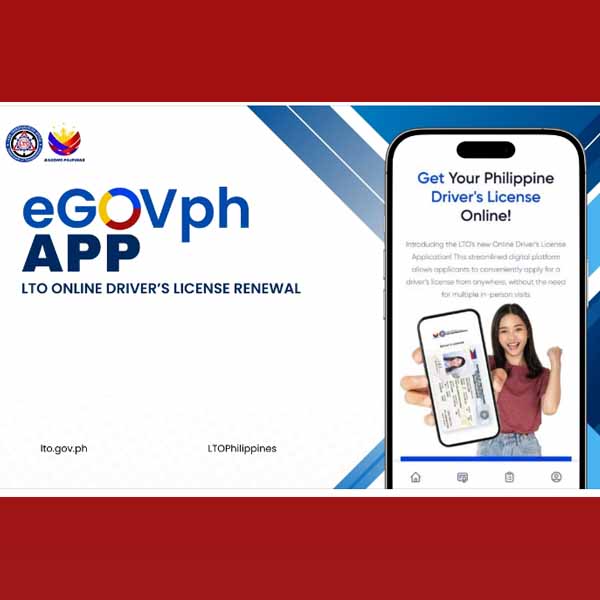
Ire-require ang security verification upang maprotektahan ang account ng gagamit.
Kapag naka-install na ang eGovPh app at naka-register na, sundin ang mga sumusunod na hakbang para makapag-renew ng license:
- Through eGov app, find the icon NGA, locate LTO, then click.
- Select online driver’s application.
- Click the "Renew Your Driver’s License" tab.
- Capture and upload the front and back of your physical driver’s license.
- Once uploaded, wait for the analyzation of the uploaded card. This will take one minute to three minutes.
- Once validation is complete, review and verify the details, then hit the submit button.
- Take a photo and follow the required standard format, which can be seen in the instructions, before taking a photo.
Read: Lithuania to accommodate 25,000 OFWs this year
WHAT ARE THE REQUIREMENTS DURING ONLINE DRIVER’S LICENSE RENEWAL?
Para matiyak ang mabilis at hassle-free ang online application, i-secure muna ang mga sumusunod na requirements na kailangang i-upload habang isinasagawa ang online transaction process:
1. Telemedicine Medical Examination
- Inside LTO ODLRS Portal, click Telemedicine.
- Book appointment.
- Attend and finish the online medical examination.
2. Complete the online Driver’s Enhancement Program (DEP)
- Inside LTO ODLRS portal, click ODEP.
- Finish the five-hour education program.
Kapag natapos na ang transaction, mag-proceed sa payment.
Step 3: Online payment
- Choose a payment gateway.
- Pay the corresponding renewal fee.
Read: Camille Villar is biggest spender in May 2025 mid-term elections
HOW TO GET THE PHYSICAL CARD AFTER ONLINE DRIVER’S LICENSE RENEWAL
Kapag successful ang transaction, nangangahulugang na-renew na ang driver’s license ng motorista.
Ang Electronic Driver’s License (e-license) ay automatically generated na rin at puwedeng ma-view sa eGovPh App.
Ito ay valid bilang physical card.
Maaaring pumili ang motorista ng courier provider at mag-book para sa delivery ng physical driver’s license.
Puwede ring pumili ang motorista ng district office kung saan puwedeng i-pick up ang lisensiya.
Para naman sa mga first time na kukuha ng driver’s license, kailangan pa ring pisikal na magpunta sa alinmang LTO district offices.
Read: Ping Lacson files bill to regulate minors’ social-media use